ETS6 AddIn validated by the KNX Association
Features

The ETS, operated in plain sentences.

More than 70 tools the assistant uses to work directly in your project – from the first room to programming. You see every change in advance, and every change is logged.

ETS 6 with group addresses and the ETSpilot panel open
Building & topology

Structure in seconds instead of click marathons.

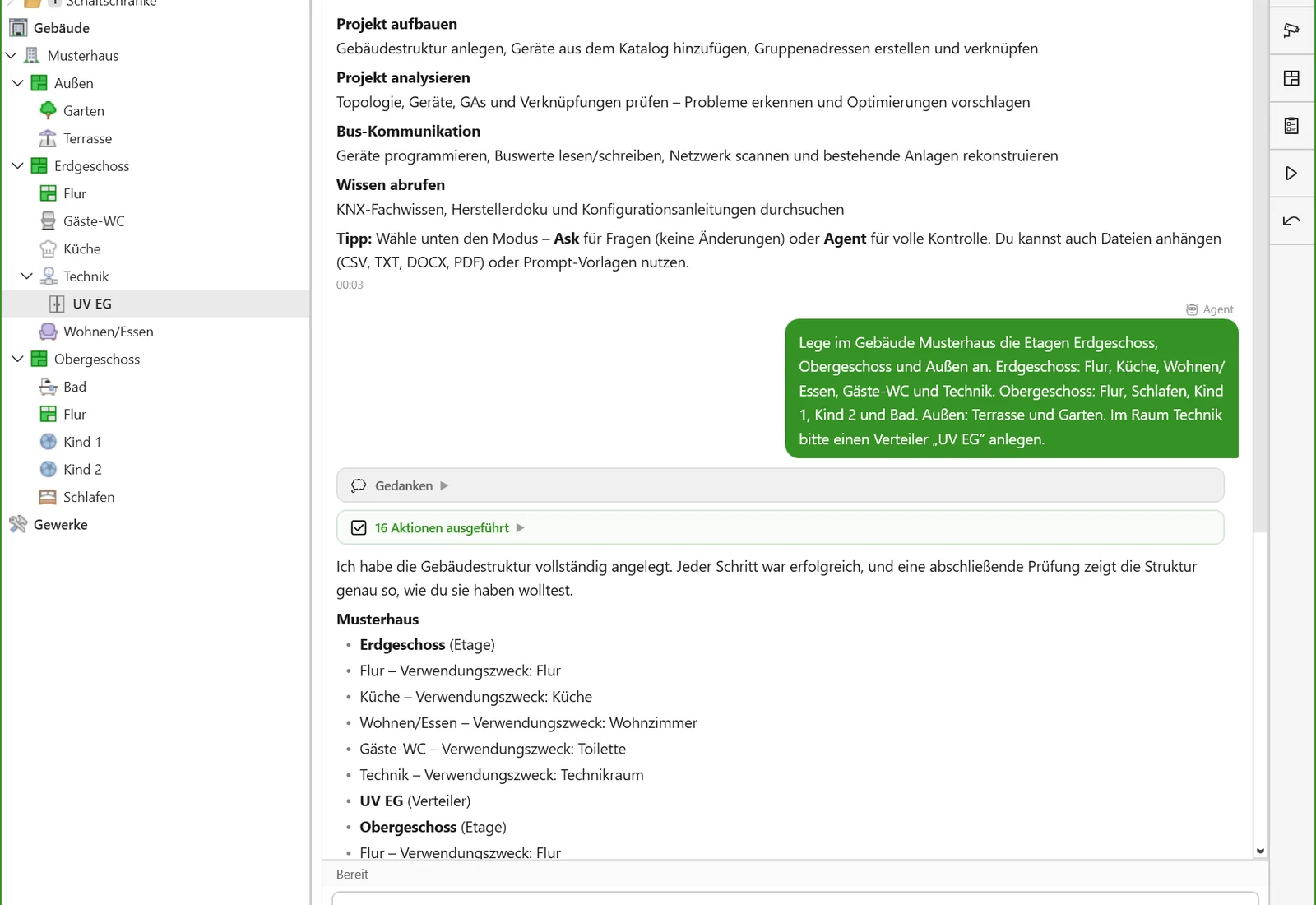
Floors, rooms, corridors, distribution boards, areas and lines – from a sentence, a room list or a floor plan. ETSpilot follows the rules of the ETS, such as which building parts are allowed where.

  • Building structure from a room schedule, Excel or PDF
  • Create areas and lines, change the medium
  • Assign devices to rooms and lines
“Create the building from the room list in the project folder.”
Building tree with newly created floors and rooms, next to ETSpilot’s reply
Devices & catalogue

The right product, without searching the catalogue.

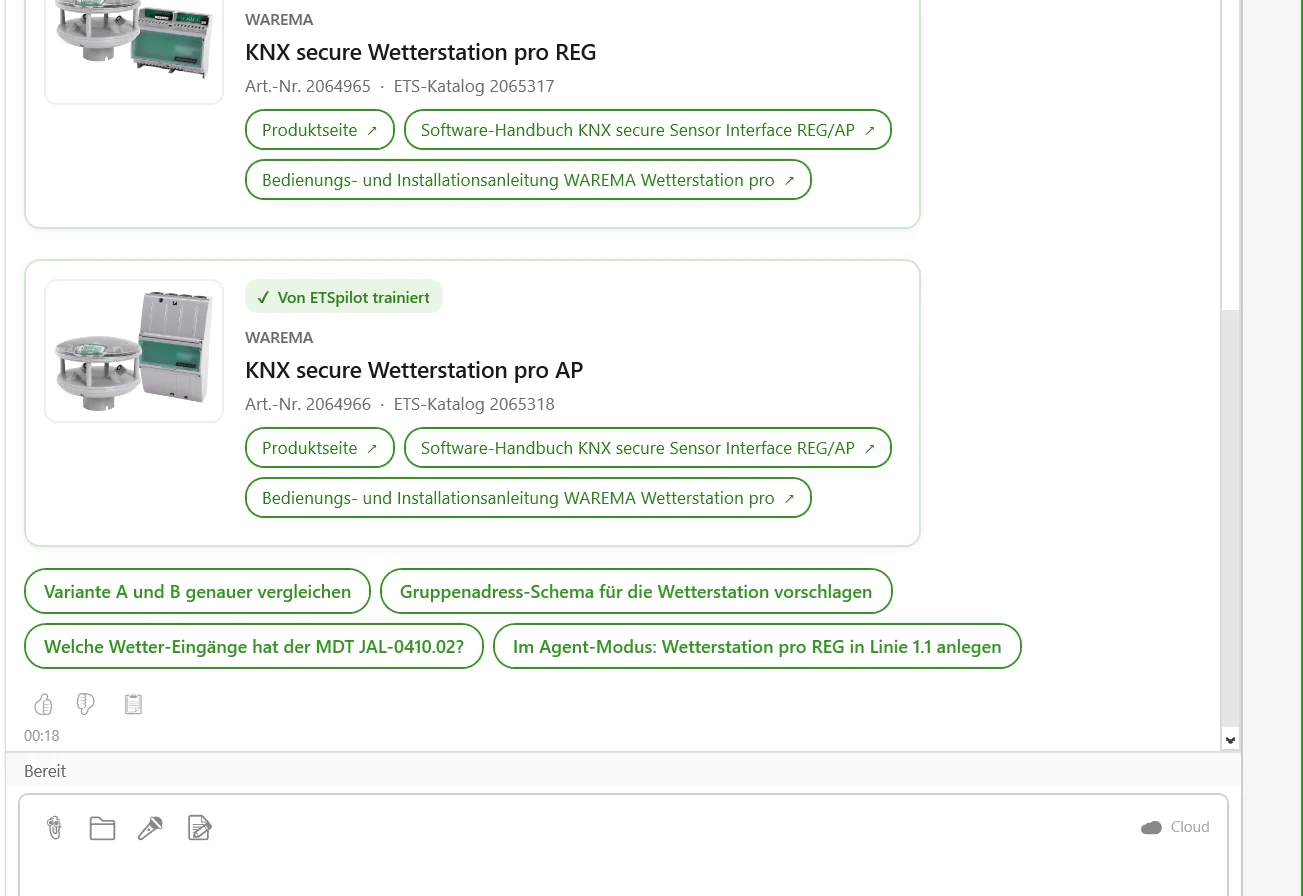
ETSpilot searches the project’s product databases, suggests suitable devices and inserts them with address, room and line. For trained manufacturers, it knows the application programs particularly well.

  • Catalogue search by function, manufacturer or order number
  • Product cards with image, data and links
  • Individual addresses assigned and checked
“Add a 4-gang push-button to every room on the ground floor.”
Product cards for the WAREMA weather station in the chat, with image and links to the manuals
Group addresses

A clean address structure – following your scheme.

Main and middle groups, addresses with datapoint type, links to group objects. ETSpilot adopts your naming scheme and keeps to it throughout the project.

  • Create, rename, move – even hundreds at once
  • Link with sending and listening objects
  • Import and export in the ETS CSV format
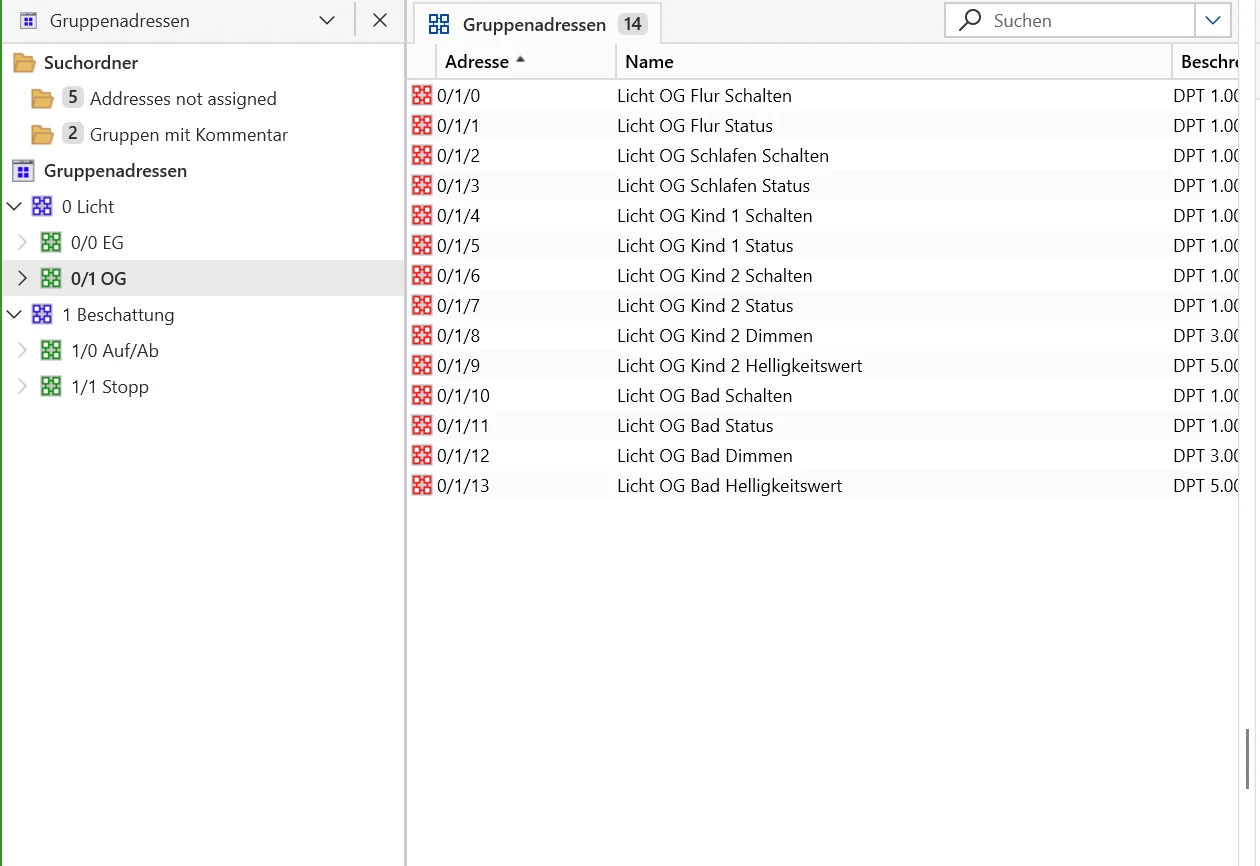
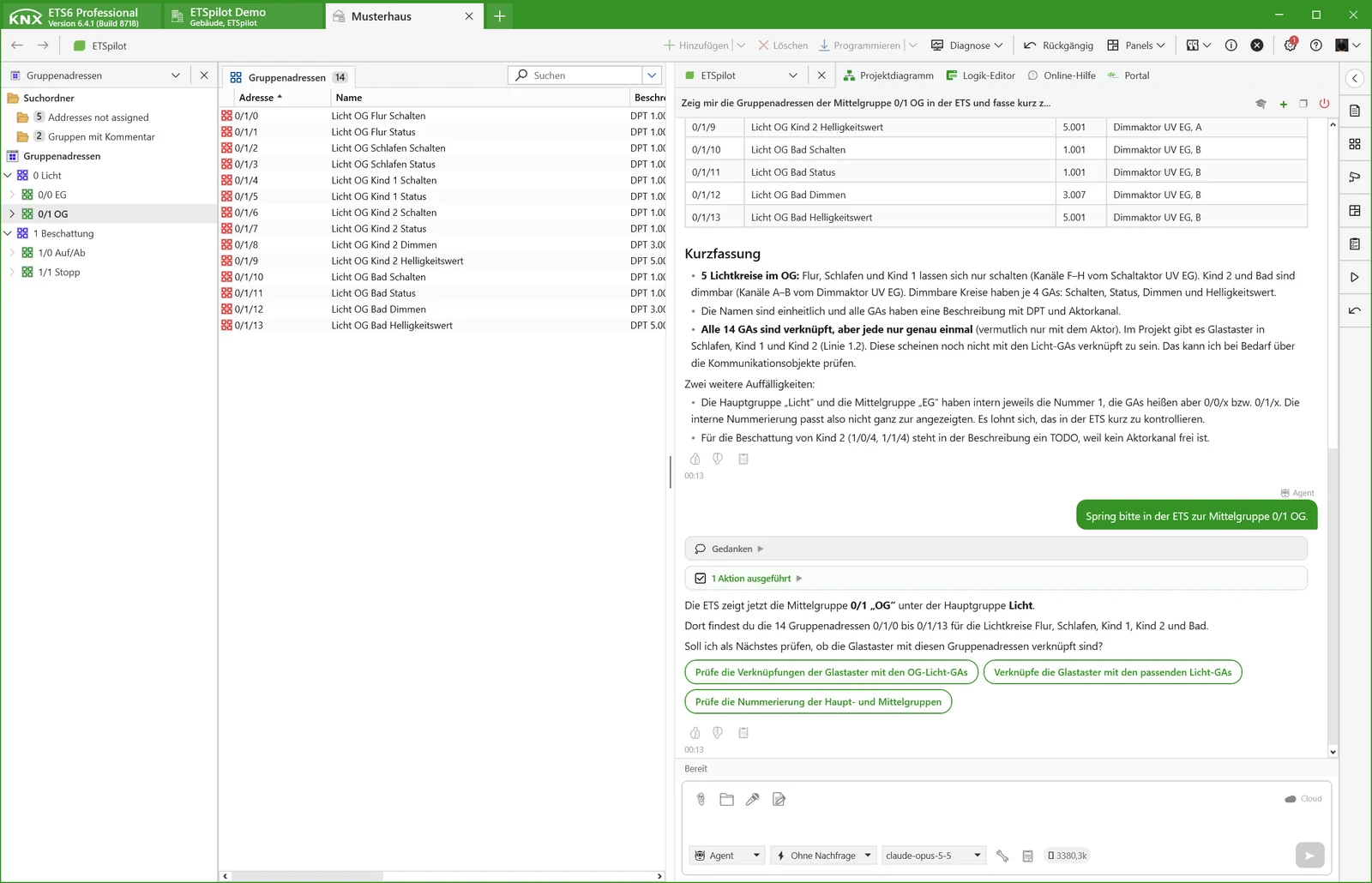
“Link all lighting channels on the upper floor to matching addresses.”
Group addresses of the upper-floor middle group in the ETS
Parameters

Set parameters across many devices.

One value for all channels, all actuators of a type or an entire trade. Every value is checked against the permitted options and ranges of the application program before it is written.

  • Value checks against options and limits
  • Per channel or for all channels at once
  • Clear labels for trained products
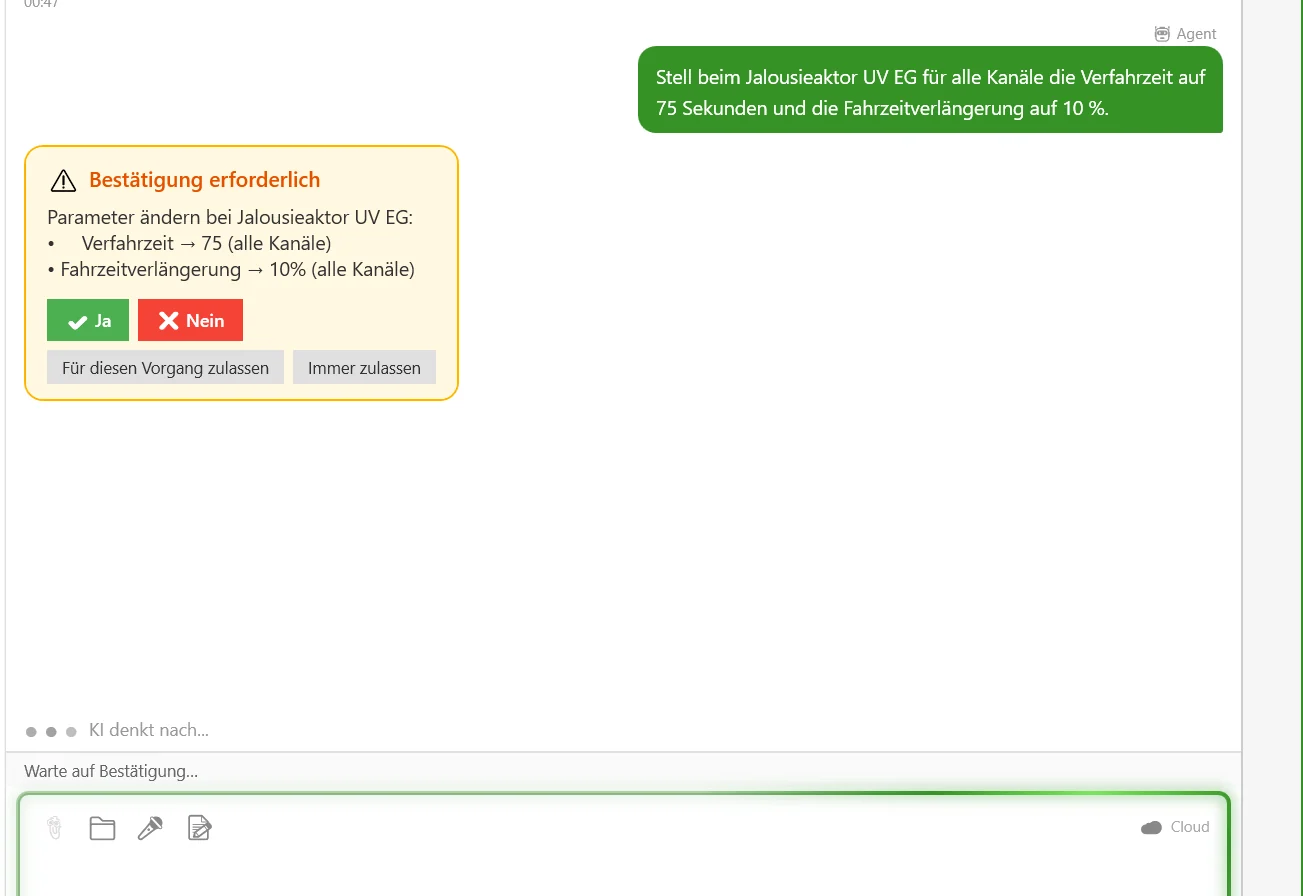
“Set the travel time to 60 s on all blind actuators.”
Approval in the chat: planned parameter changes on the blind actuator with Yes and No
Check & document

Find errors before the site does.

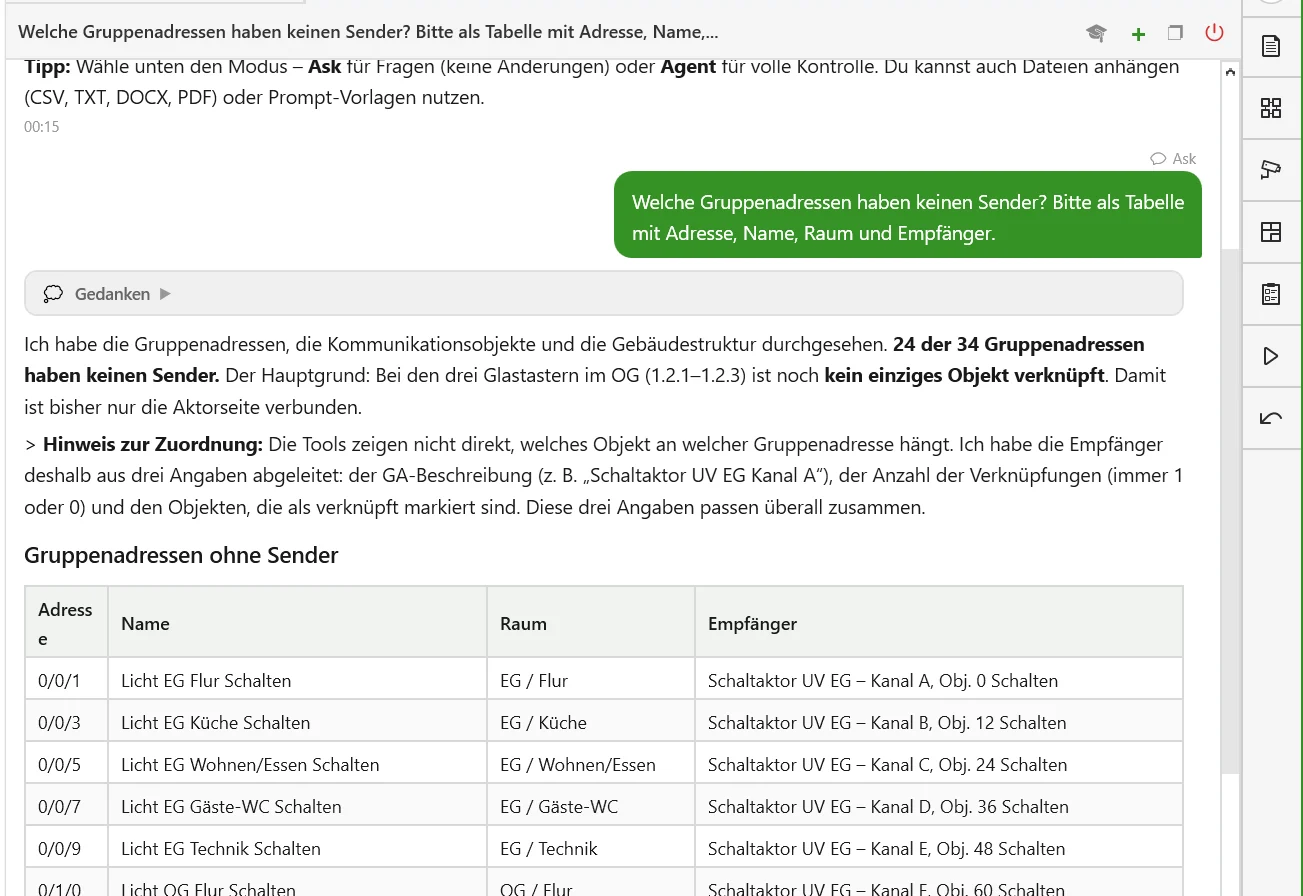
Addresses without a sender, objects without links, inconsistent datapoint types, devices without a room. Results as a list, report or CSV – and the project documentation along with it.

  • Project checks by question or script
  • Maintain descriptions and project history
  • Reports as CSV for customer and team
“Which group addresses have no sender?”
Check result in the chat: table of group addresses without a sender
Bus & commissioning

Program, test, read values.

Program devices, send telegrams, read group values, analyse the bus monitor. Bus actions are presented for approval with particular prominence, because they take effect on the installation immediately.

  • Programming individually, by line or as a list
  • Function test via switching and read telegrams
  • Bus monitor recorded and explained
“Program all modified devices in line 1.1.”
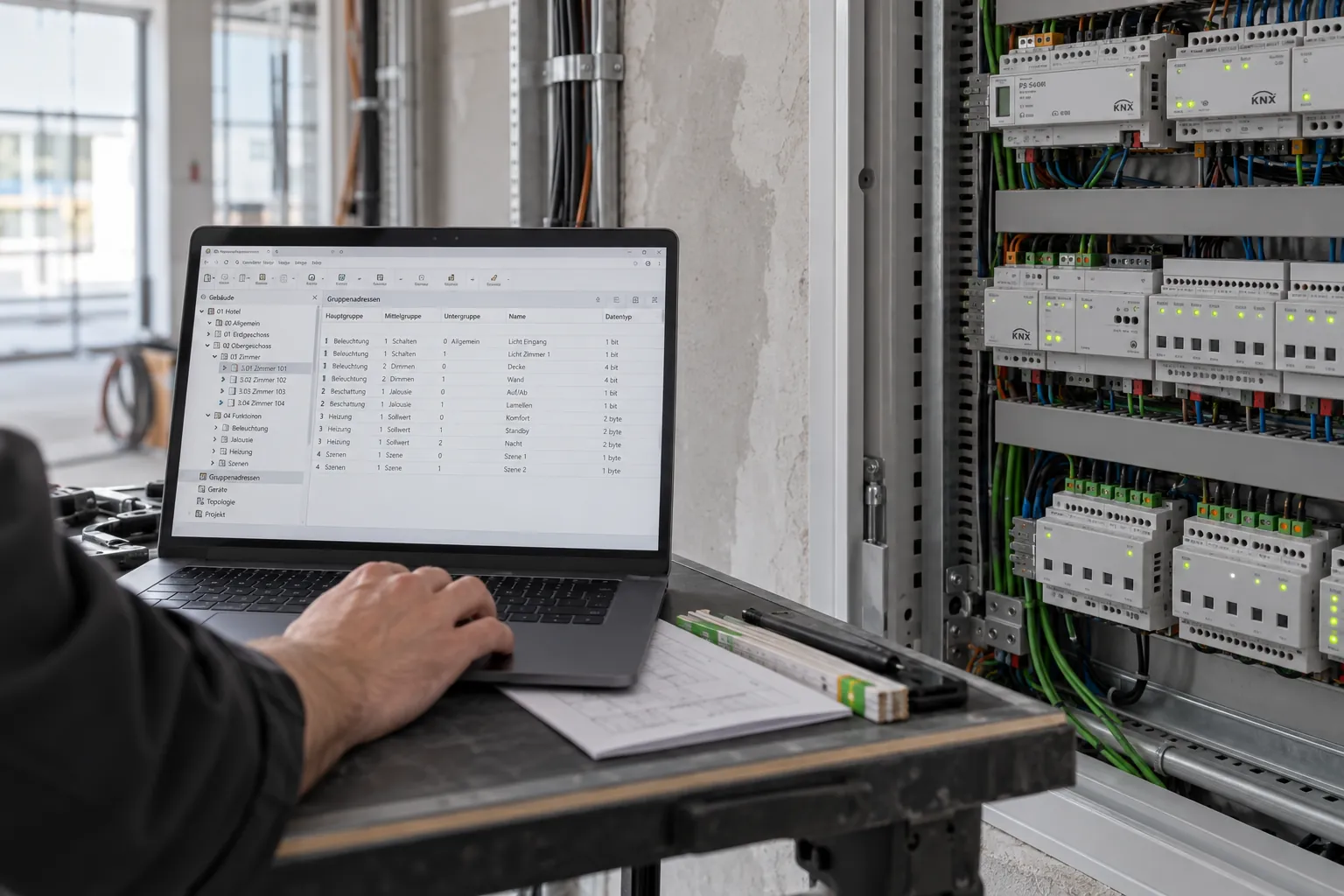
Laptop with ETS during commissioning at the distribution board
Reconstruction

Existing installation without a project file? No problem.

ETSpilot reads the devices from the bus, matches them to the right products and recovers group addresses, links, parameters and flags – read-only, without programming. Group addresses get meaningful names from the group objects. Open points are flagged rather than guessed.

  • Network scan and device detection
  • Product assignment via manufacturer and application program
  • Recover and name addresses and links
  • Parameters and flags from the device memory
“Read out line 1.1 and build me a project from it.”
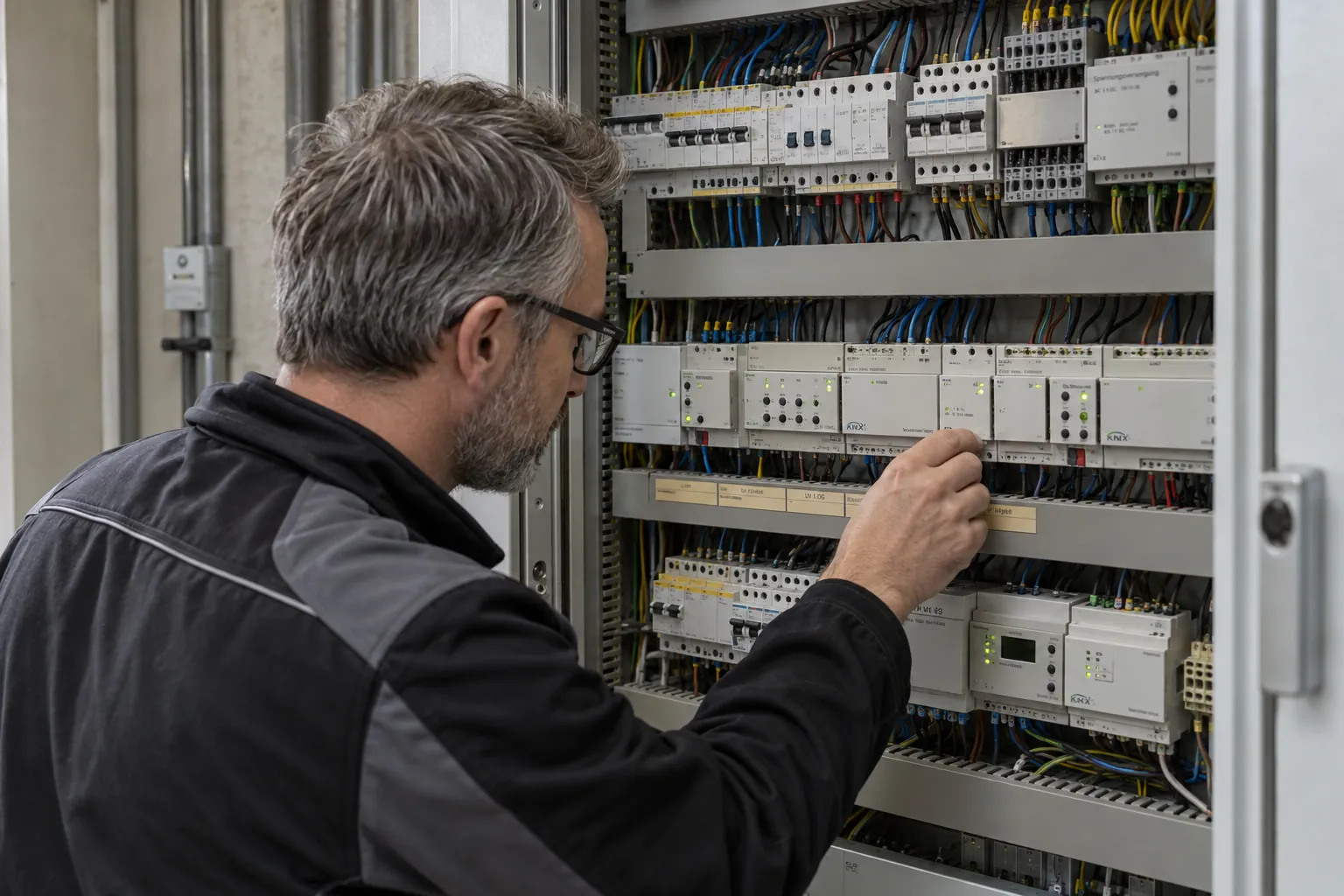
Electrician checking devices in a densely populated distribution board of an existing installation
Documents & photos

The assistant reads along.

Store distribution board plans, room lists, quotes and customer requirements per project – ETSpilot searches them and quotes from them precisely. Photos of the control cabinet are recognised and matched against the catalogue.

  • PDF, Excel, Word, CSV and more, up to 25 MB per file
  • Photos of distribution boards and rating plates
  • Project instructions for naming schemes and specifications
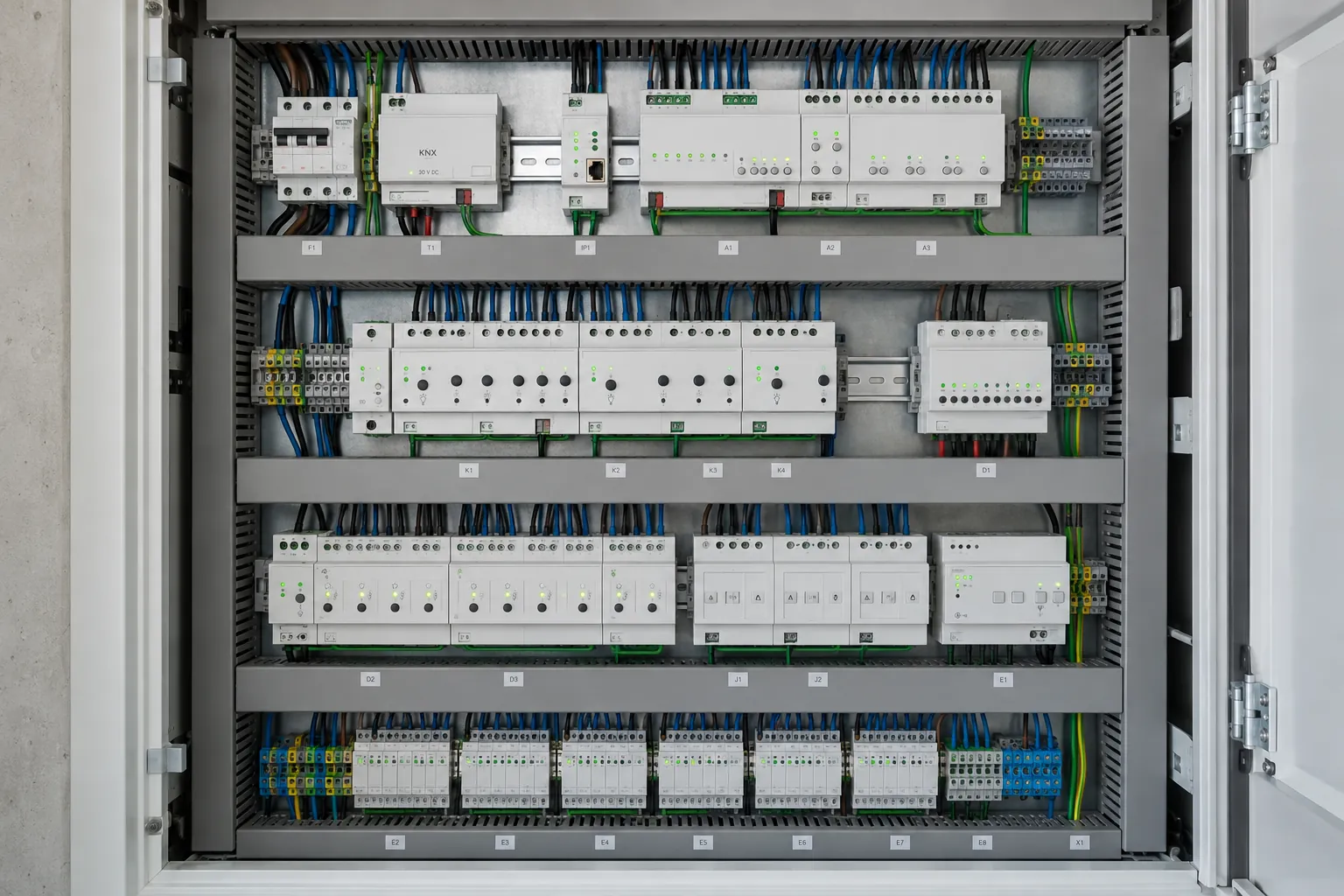
Open distribution board with KNX devices, photographed from the front
App & voice

Control it from your phone.

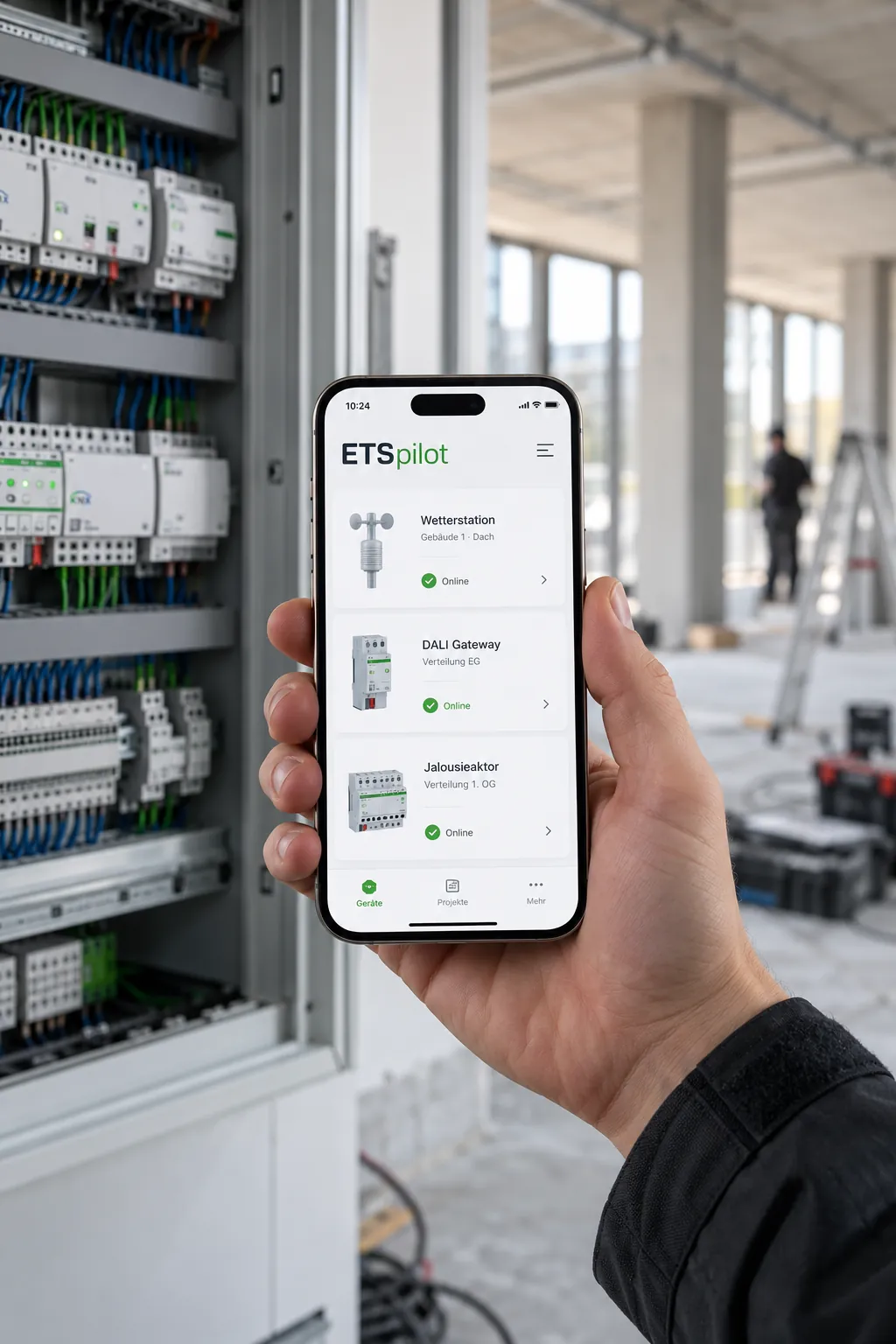
With the app for iOS and Android, you can give tasks even from the building site – the ETS does the work on the computer. In the AddIn, you can dictate tasks instead of typing.

  • Remote control of the running ETS over a secure connection
  • Voice input on Windows
  • Chat history per project on all devices
Phone with the ETSpilot app in front of a distribution board on the building site
AI models

Your provider. Your contract.

ETSpilot works with the leading models. You store your own access and are billed directly by the provider – with no mark-up and no lock-in.

Anthropic Claude

Recommended for complex project tasks and long conversations.

OpenAI GPT

Wide choice of models, including image analysis.

Microsoft Azure AI Foundry

For companies with their own Azure contract and choice of region.

Ready for your first project?

Get the AddIn from the KNX Shop, set up your account, get going.