ETS6 AddIn validated by the KNX Association
Logic editor

Build once. Use in every project.

Recurring tasks as a graphical script made of blocks – assembled yourself or suggested by the assistant. With preview, report and project backup.

How it works

Four steps, full control.

Build

Drag blocks from the palette – or ask the assistant to draft the script.

Preview

Every planned change in the log, checked against parameters and ETS rules. Nothing is changed.

Run

Optionally with a project backup first. Inputs such as room or file are requested at start.

Report

Results, warnings and errors as a table – exportable as CSV for customer or team.

Blocks

76 blocks in 11 groups.

From simple renaming to programming via the bus. Every block is described in the documentation with an example.

Flow8 · Loops, if, try
Logic6 · Comparisons, and/or
Text & numbers10 · Replace, patterns, arithmetic
Variables & lists10 · Search, filter, sort
Group addresses14 · From creating to linking
Devices10 · Parameters, flags, addresses
Building5 · Create and maintain rooms
Topology2 · Areas and lines
Bus4 · Send, read, program
Files5 · CSV and ETS format
Report2 · Messages and log
Preview

See what happens – before it happens.

The preview runs against the real project without changing it. It checks parameter values, channels and the rules of the building structure and reports everything that would make the run fail – with a clear message and the permitted values.
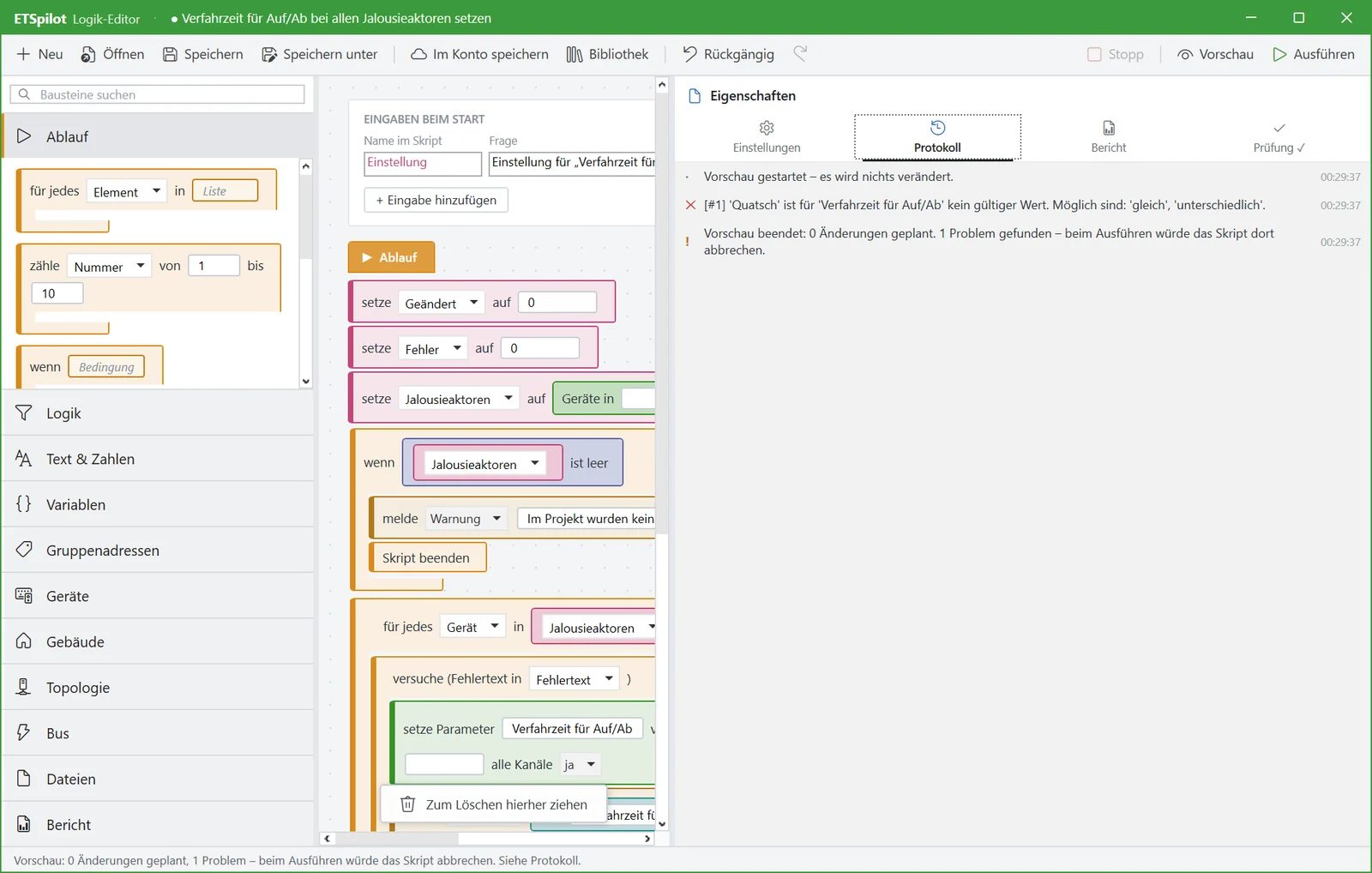
Logic editor: preview reports an invalid parameter value in the log
Error handling

One bad row doesn't stop the whole import.

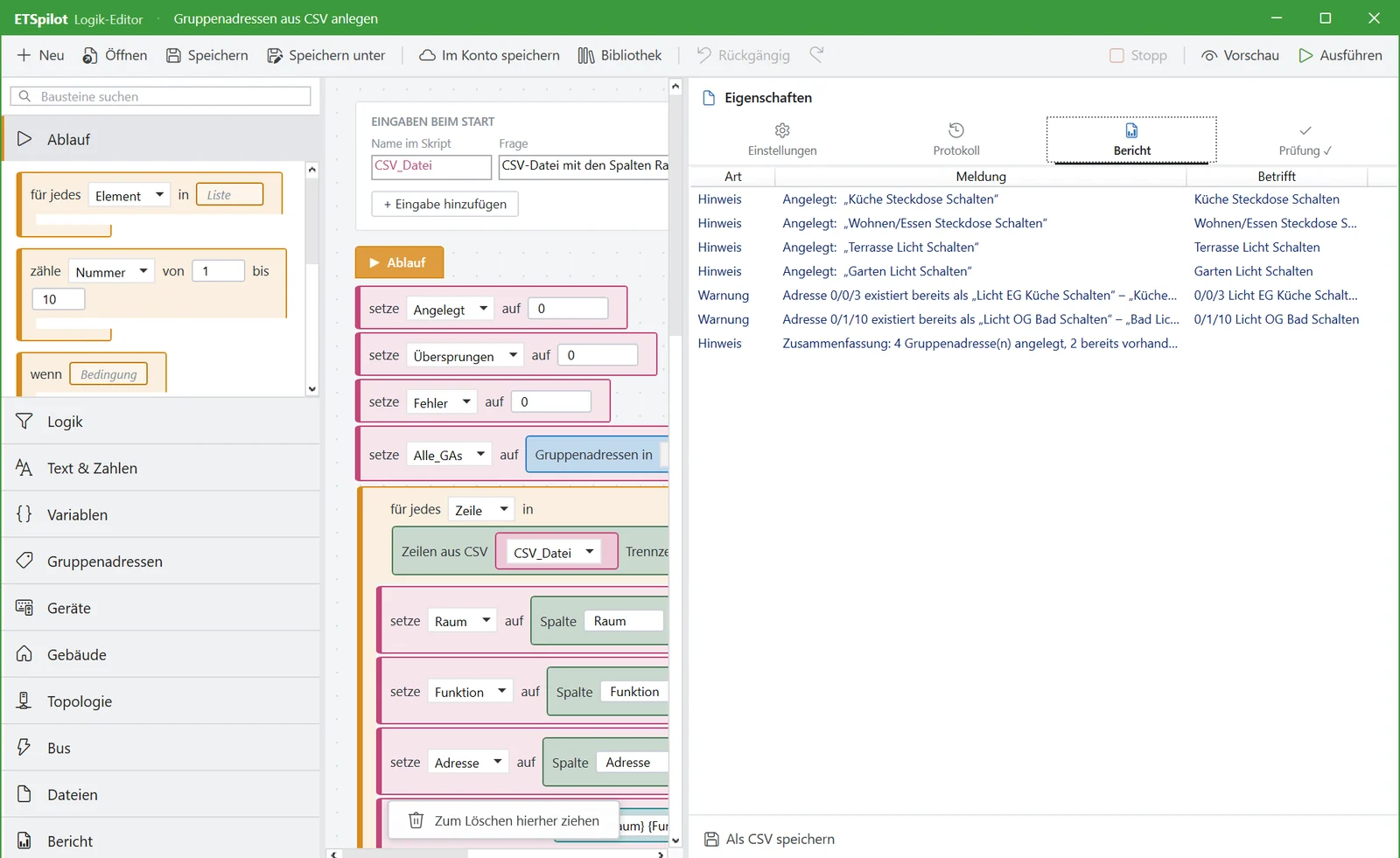
With “try … on error …”, a script catches errors in individual steps, writes them to the report and carries on. At the end you see exactly which rows need rework.

Logic editor: report with notes and warnings
Files

Excel lists in, reports out.

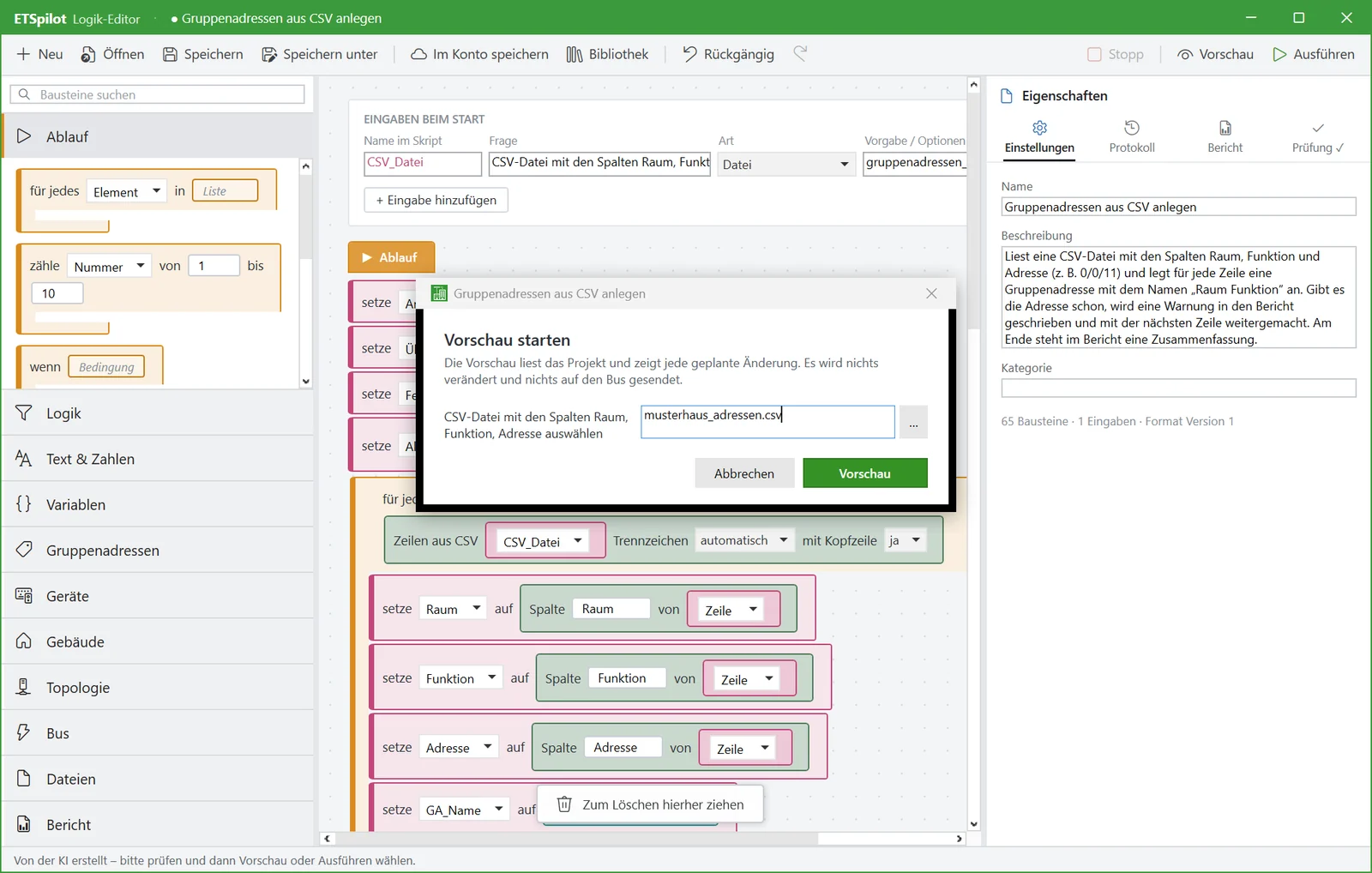
Read and write CSV files – the editor detects separator and encoding by itself. Import and export group addresses in the ETS CSV format. Scripts only access files you select at start.

  • Lookups in tables – e.g. old address → new name
  • ETS formats 3/1 and 1/1 for group addresses
Logic editor: start dialog asks for the CSV file
AI and library

Describe instead of build.

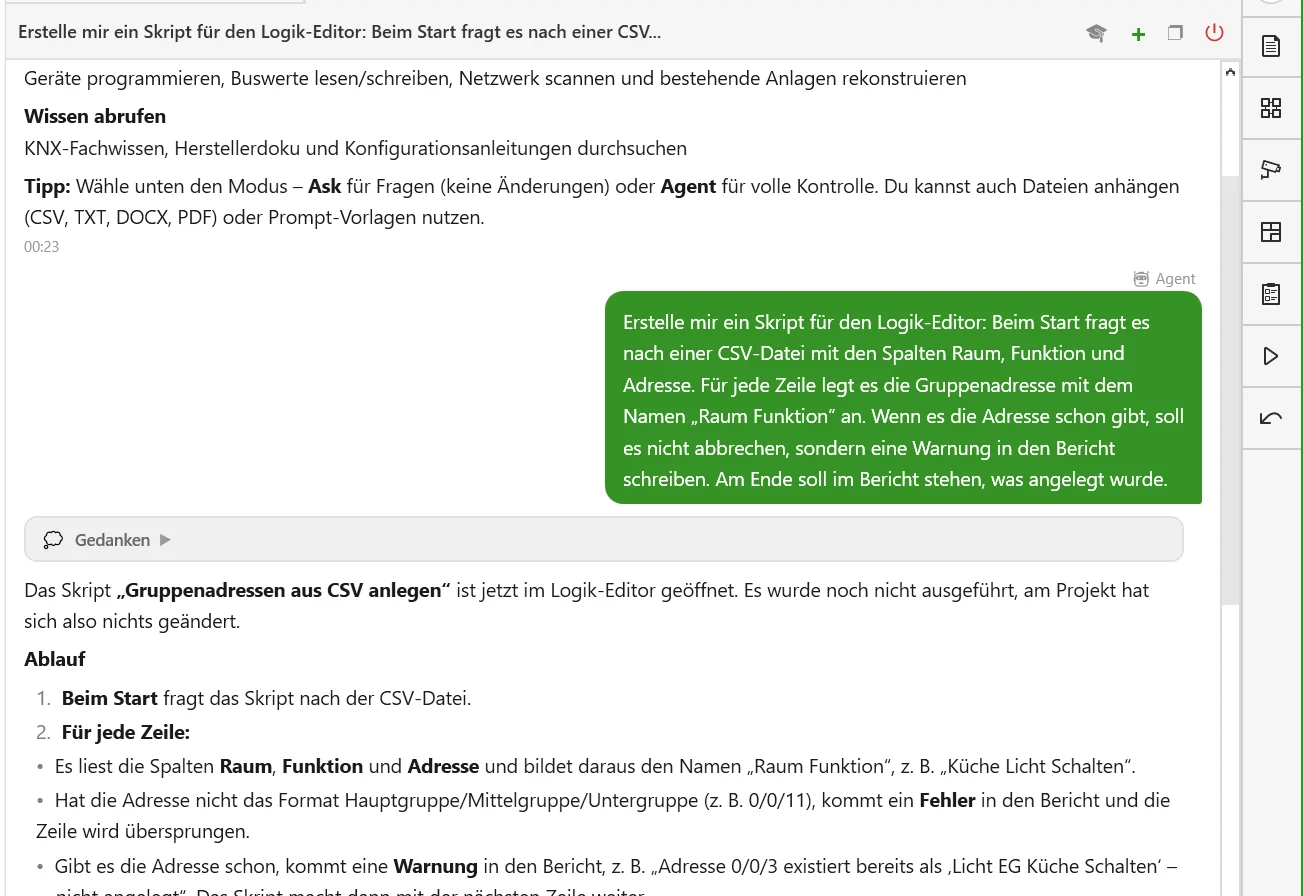
Tell the assistant what the script should do. It drafts it, checks it automatically with a preview against your project and opens it in the editor for review. Good scripts are saved in the library or in your account and shared with your team.

“Make me a script that lists all actuators without a room.”
Chat: ETSpilot has created a script and opened it in the logic editor

The logic editor in action.

From room schedule to finished group address structure – on a real planning case, step by step.

Two planners discussing a floor plan on a monitor approx. 4 min
Video still

Logic editor in practice

CSV import, error handling and preview.

Watch video
Video coming soon
Templates

Scripts you can use right away.

Included in the library – ready to use or as a starting point for your own scripts.

TemplateWhat it doesTypical inputs
Name group addresses by roomRenames addresses consistently by room and functionMain group, naming scheme
Addresses without a senderReports group addresses without a sending objectArea (optional)
Import room scheduleCreates floors and rooms from a CSV listCSV file
Standardise parametersSets a parameter for all devices of an application programParameter, value
Devices without a roomLists devices without a building assignment as a report–
Reconcile ETS group addressesImports and updates addresses from an ETS exportCSV file

Your first script in five minutes.

The documentation guides you step by step through blocks, preview and import.